Attik Update (Mobile App) - Report Writer: Section Duplication, Compose Redesign & Offline Reliability

Summary
Inspectors can duplicate a report section, write a comment from scratch, and add a one-off report all from the mobile app
Comment compose gets suggested locations, multi-select sub-options, and a first-class video-link option
AI comment matching now shows a live shortlist and transcribes as soon as recording stops
Fixed bugs around discarding comments, photo rotation, and section removal blocking report completion
New Features
Deselect a template comment that doesn’t apply
What changed: Inspectors can now remove an always-included template comment from a report when the condition it describes isn’t present, without deleting it from the template. State-mandated comments stay visible so removal is deliberate and traceable.
Where to find it: Report Writer, template comments.
Default template comments to checked
What changed: Brands can mark a template comment as auto-populating so it appears on every report from that template without the inspector selecting it — for compliance comments a state requires, or standing advisory comments the brand always includes.
Where to find it: Template comment settings.
Setup: Mark the comment as auto-populating on the template.

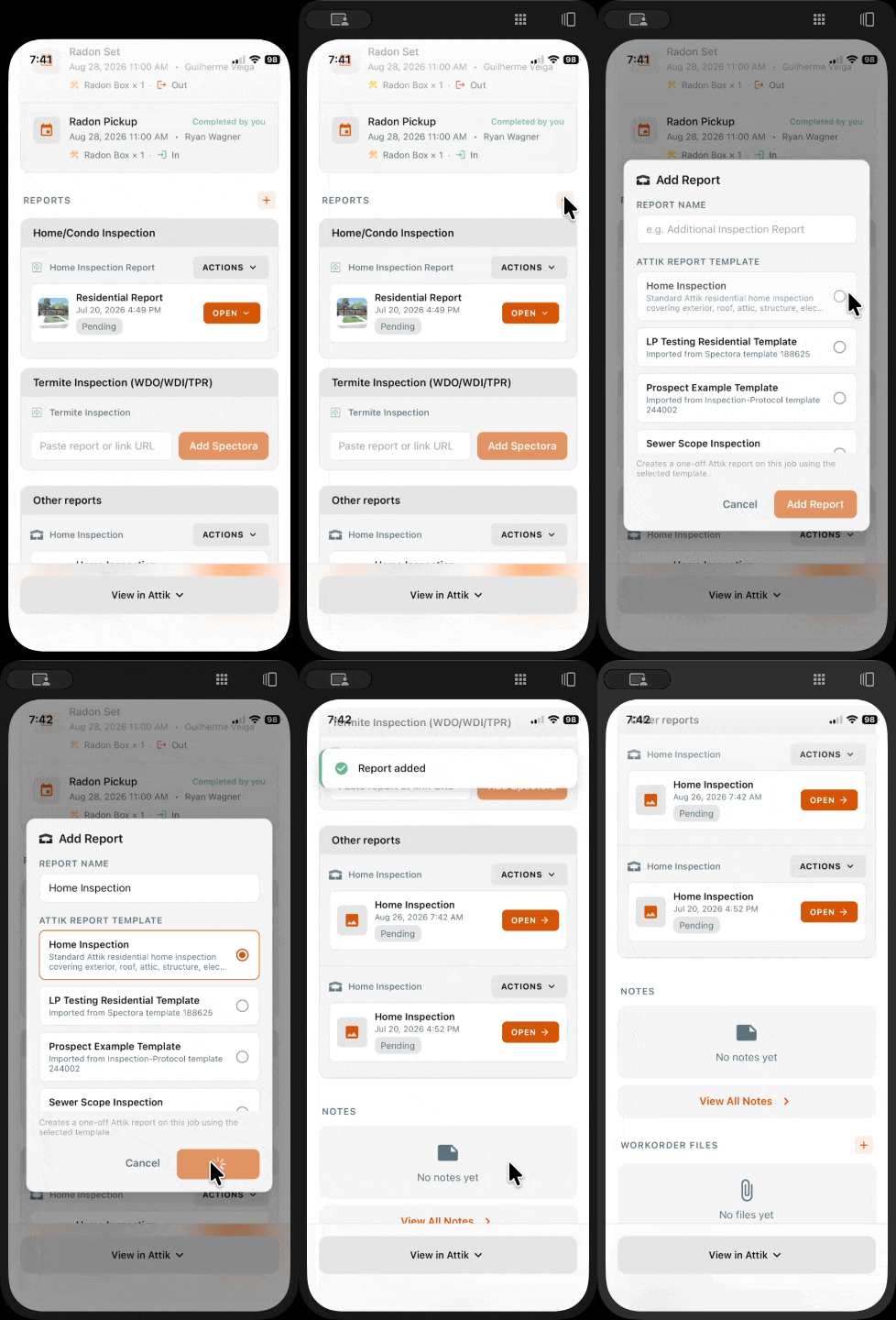
Add a one-off report and choose a template from the app
What changed: Inspectors can now add a one-off report to a job and pick its template directly from the app, instead of switching to the website mid-inspection.
Where to find it: Job screen, add report.
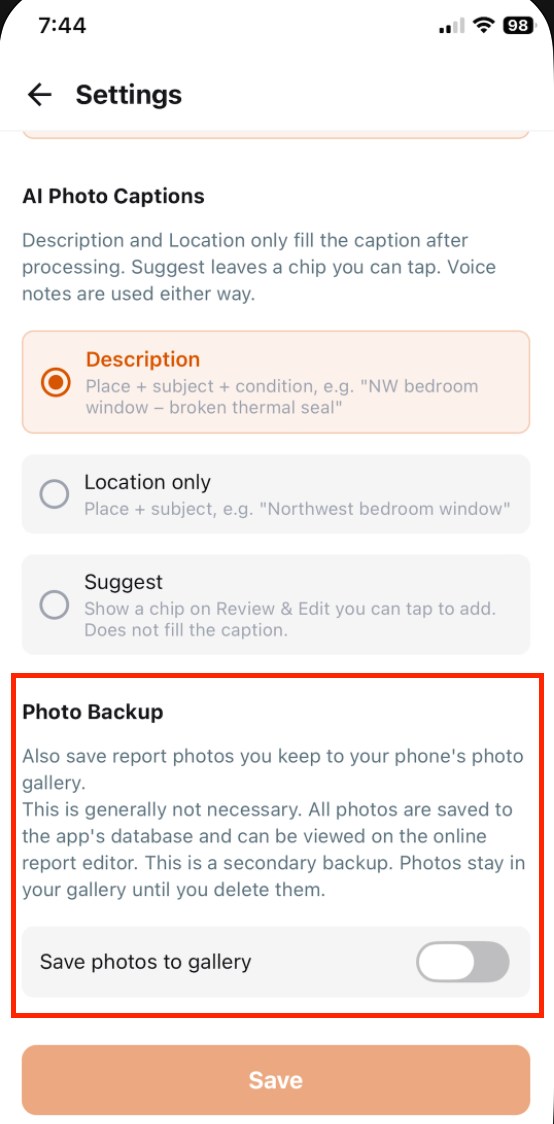
Optional photo backup to the device gallery
What changed: Inspectors can turn on a setting to also save inspection photos to their device’s camera roll, for anyone who wants a local backup without forcing it on inspectors who don’t.
Where to find it: App settings.
Setup: Turn on photo backup to camera roll.
Write a brand-new comment from scratch
What changed: Inspectors can now commit a comment they wrote themselves without first selecting a premade or AI-generated comment and overwriting it.
Where to find it: Comment compose screen.
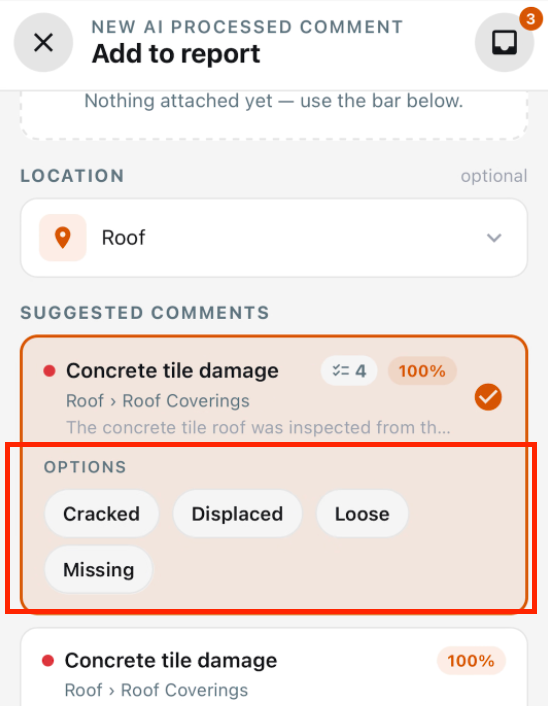
Multi-select sub-option comments
What changed: Parent comments can now offer multiple selectable sub-options — for example a tile-roof comment with broken, cracked, chipped, or mortar-cap-damage — instead of requiring a separate comment for each variation.
Where to find it: Comment compose screen.
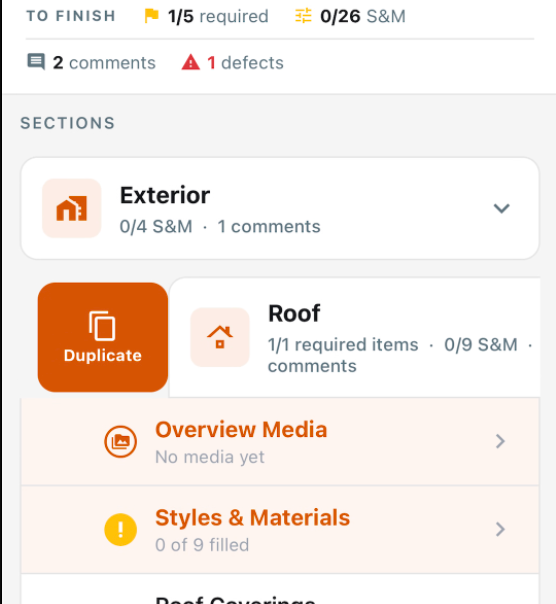
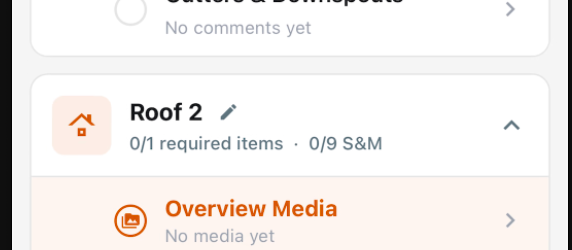
Duplicate a report section
What changed: Inspectors can now duplicate a section within a report, such as Kitchen Appliances into Basement Appliances, for multifamily or repeated-unit properties, without rebuilding it by hand.
Where to find it: Report Writer, section options.
Embed third-party video links in a comment
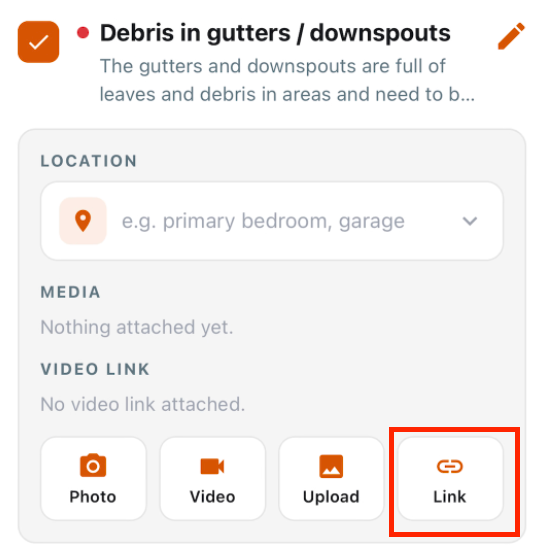
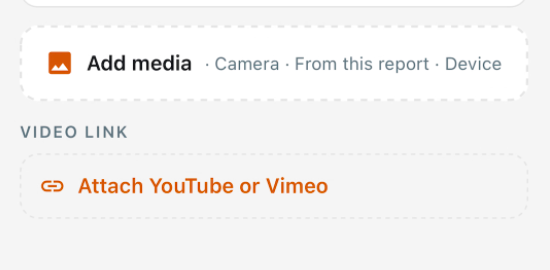
What changed: Inspectors can now embed a YouTube or Vimeo link directly in a comment for long third-party videos like sewer scopes, instead of uploading large files to Attik storage.
Where to find it: Comment compose screen.
Voice captions on photos before capture
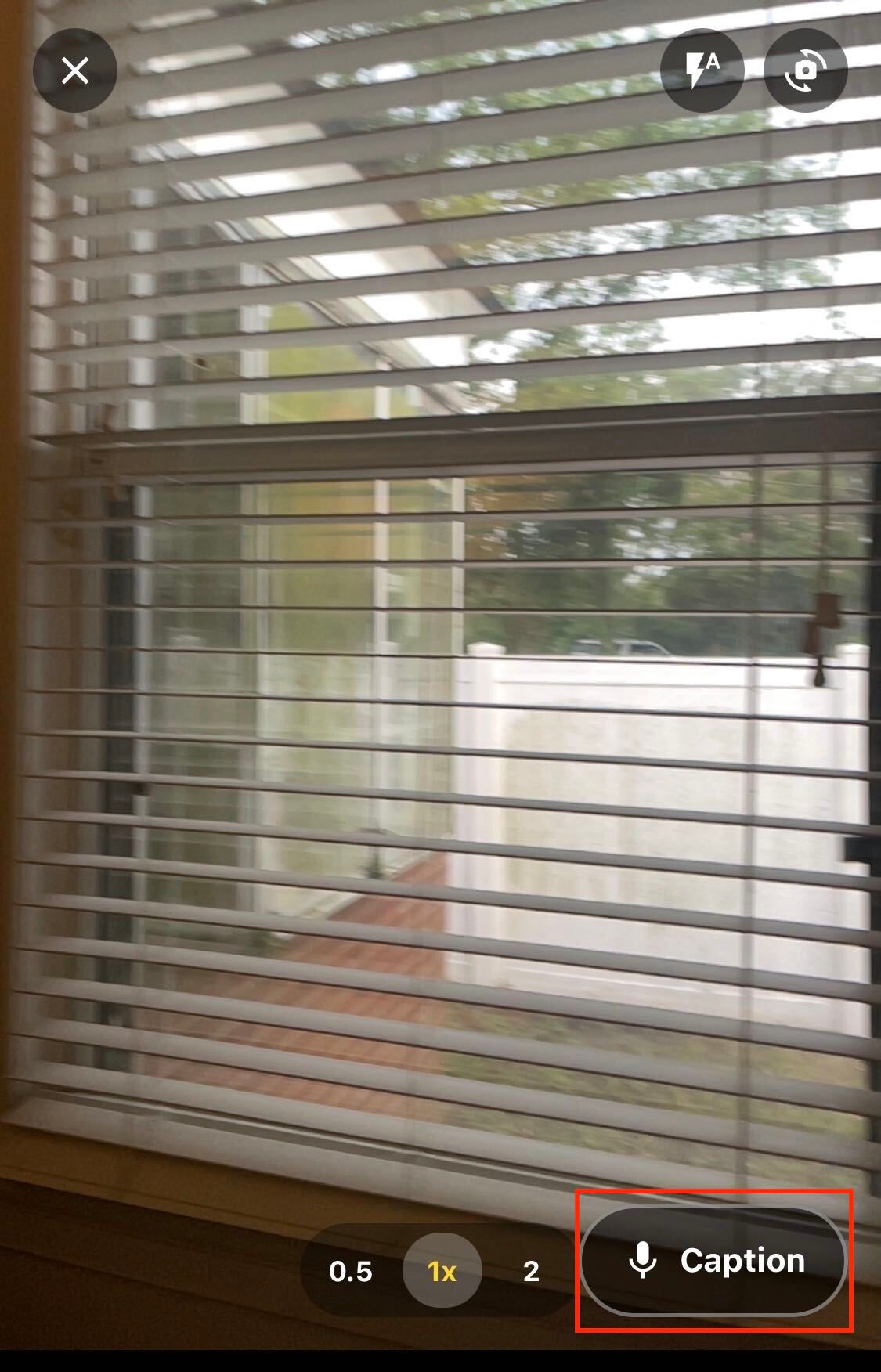
What changed: Inspectors can now record a voice caption on a photo before it’s captured.
Where to find it: Photo capture screen.
Improvements
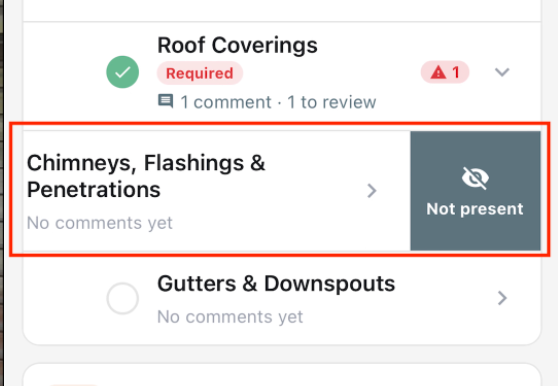
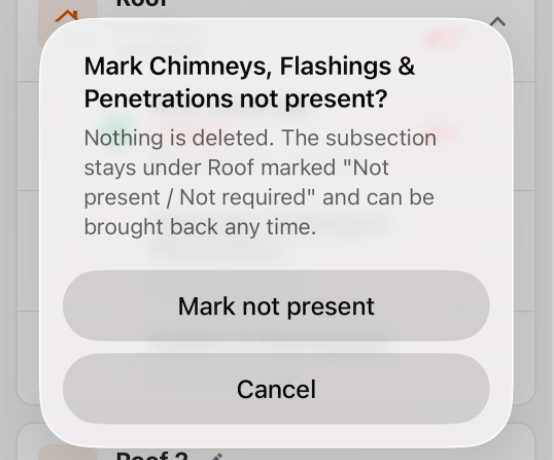
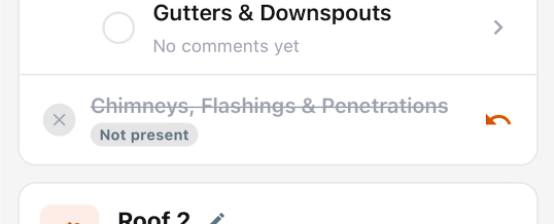
Section delete now reads “Not Present / Not Required”
What changed: Swiping to delete a section now shows “Not Present / Not Required” instead of a trash icon. Default and required sections stay visible in a struck-through state instead of disappearing, so the inspector can see the item was addressed.
Where to find it: Report Writer, section swipe actions.
AI processing shows a completion signal
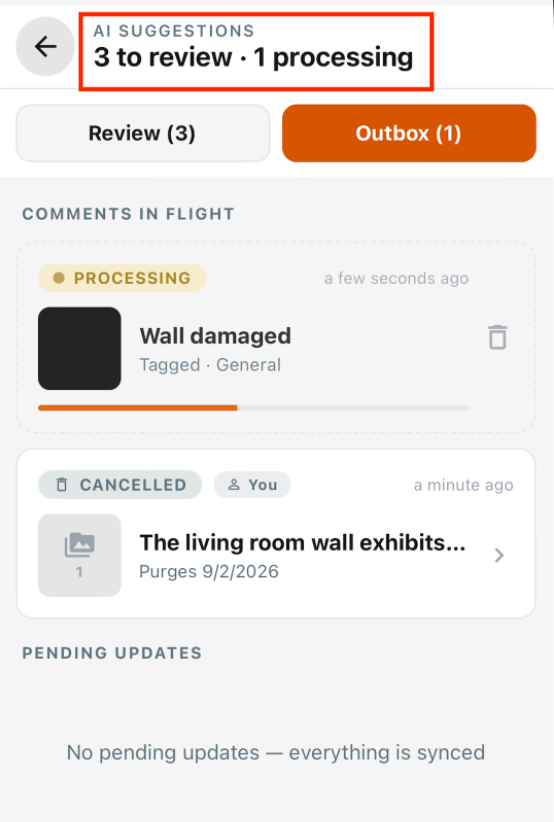
What changed: Inspectors now get a clear signal on-screen when AI processing of a comment finishes, and an uncommitted queue item now looks visually distinct from a comment that’s actually in the report.
Where to find it: Comment queue.
Duplicate a section or subsection while offline
What changed: Duplicating a report section or subsection now queues through the outbox like other report edits, so it works without signal and no longer live-saves and rolls back.
Where to find it: Report Writer, section options.
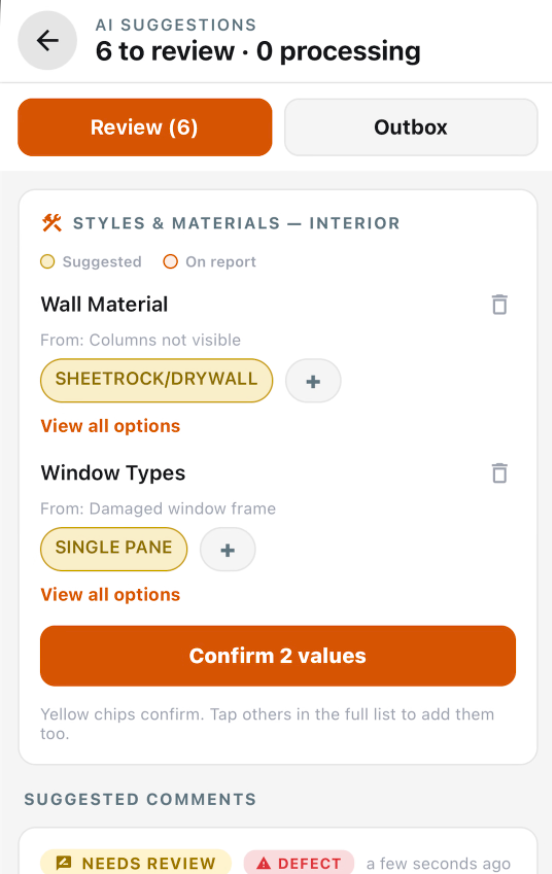
S&M suggestions on quick-add, with a confirm step in the queue
What changed: Styles & Materials suggestions now appear on quick-added comments the same way they already do on the full comment pipeline. In the queue, those suggestions are a preview the inspector confirms rather than a toggle that could be cleared by accident.
Where to find it: Comment compose and comment queue.
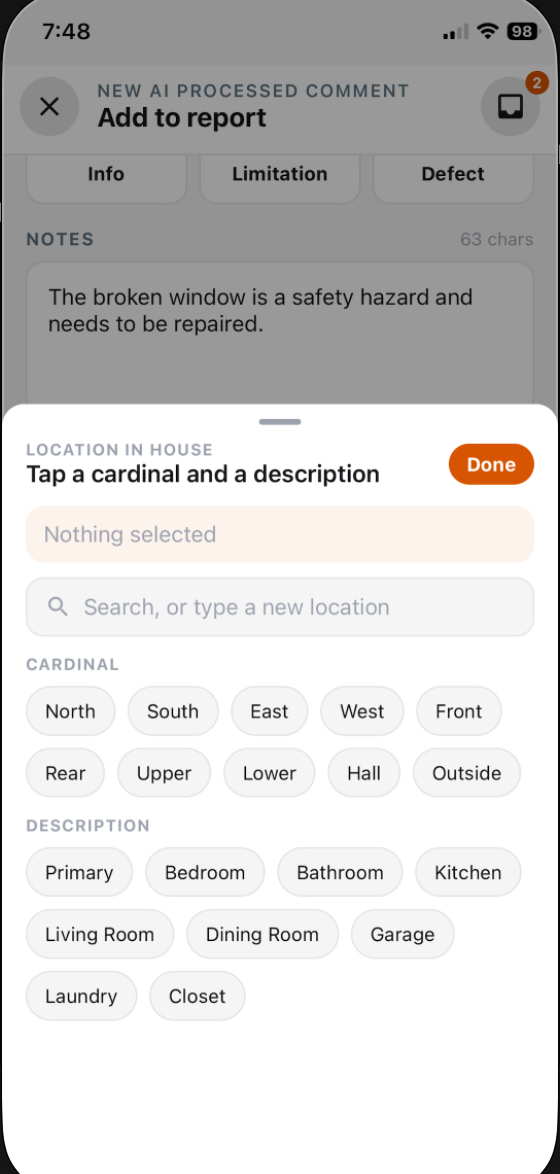
Standardized location suggestions for comments
What changed: Comment compose now suggests a location from a standardized list, so the same physical location gets labeled consistently across inspectors and inspections.
Where to find it: Comment compose screen.
Ranked comment matches appear as they return
What changed: Comment matches now appear in the queue as a ranked, visible shortlist as they come back, instead of the pipeline silently picking one for the inspector.
Where to find it: Comment queue.
Transcription starts immediately on capture
What changed: Voice transcription now starts the moment recording stops instead of waiting on the full processing job, so inspectors see text sooner.
Where to find it: Comment compose screen.
Suggested S&M rework in the queue
What changed: Styles & Materials suggestions in the comment queue have been reworked as part of the ingestion pipeline update.
Where to find it: Comment queue.
Suggested location and captions on the Edit Comment form
What changed: The Edit Comment form and summary now show suggested location and captions.
Where to find it: Edit Comment form.
Draft comments persist locally before syncing
What changed: A comment draft now appears to persist on-device before it fully syncs.
Where to find it: Comment compose screen.
Bug Fixes
Existing report comments now re-sync to the mobile inbox
What changed: Opening a report now re-syncs every comment already saved on the server into the mobile inbox as a real, working row for comments from this device, a teammate on the same house, comments made on web, or this inspector’s own comments after a reinstall or new phone.
Where to find it: Report inbox.
Applies to: Existing and future records.
Removing a section no longer blocks report completion
What changed: Removing a section now also clears that section’s own completion requirements, not just its subsections’. The Complete button is no longer gated by rows the inspector can’t navigate to.
Where to find it: Report Writer, section removal.
Applies to: Existing and future records.
Photo rotation is preserved, and can be adjusted in annotation
What changed: Photos now keep their capture orientation through processing, and inspectors can rotate a photo from the annotation window. The PDF and web report now agree on orientation.
Where to find it: Photo annotation window.
Applies to: Future records only.
Confirmation before discarding a comment, and its captured media is kept
What changed: Leaving comment compose with unsaved photos or notes now asks for confirmation instead of silently discarding the draft and its media.
Where to find it: Comment compose screen.
Applies to: Future records only.
Push notifications show job context and open the right screen
What changed: Push notifications tied to an inspection now show enough job context to identify the job from the lock screen, and tapping one now opens the correct destination for that notification type.
Where to find it: Mobile push notifications.
Applies to: Existing and future records.