Found a work aroud for this so the date isnt set right away. Should let the user type in the date fully before it calculates the date.
Shayna Turilli
•
Dec 16, 2025
YAY! Thank you!
Ryan Wagner
•
Dec 8, 2025
@Christopher Scott Is this something we can look into again? I think it’s easy to work around when we have a limited number of people scheduling but as more schedulers use Attik this will become an issue for more people and a frustration with the software.
I had our GTC supervisor mention this issue to me late last week.
Shayna Turilli
•
Jun 21, 2025
Okay no problem at all! I will just be sure to add this to our SOP to double check or use the calendar only! :)
Christopher Scott
Team•
Jun 18, 2025
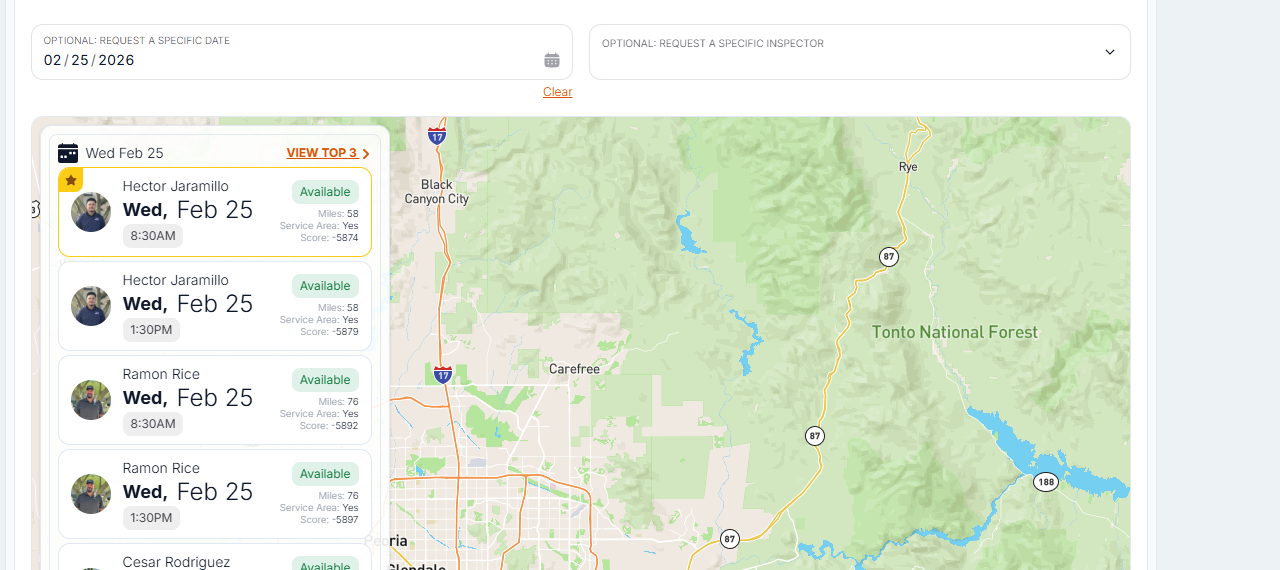
@Shayna Turilli Hey so this is an odd one. I see whats happening. Basically when you start to type in the year, you end up with a year like 202 first, and because of the leap year count etc, it changes the date. So then you would have to correct it. The issue is this date input uses a library that I have minimal control over.
If you click the calendar icon, you can select the date on a calendar and it wont screw up the dates. Can you use the openable calendar to avoid this bug or is it something I should dig into finding a work around?
Log in to comment and vote
Comments5
Dec 16, 2025
PinnedFound a work aroud for this so the date isnt set right away. Should let the user type in the date fully before it calculates the date.
Shayna Turilli
Dec 16, 2025
YAY! Thank you!
Ryan Wagner
Dec 8, 2025
@Christopher Scott Is this something we can look into again? I think it’s easy to work around when we have a limited number of people scheduling but as more schedulers use Attik this will become an issue for more people and a frustration with the software.
I had our GTC supervisor mention this issue to me late last week.
Shayna Turilli
Jun 21, 2025
Okay no problem at all! I will just be sure to add this to our SOP to double check or use the calendar only! :)
Christopher Scott
Jun 18, 2025
@Shayna Turilli Hey so this is an odd one. I see whats happening. Basically when you start to type in the year, you end up with a year like 202 first, and because of the leap year count etc, it changes the date. So then you would have to correct it. The issue is this date input uses a library that I have minimal control over.
If you click the calendar icon, you can select the date on a calendar and it wont screw up the dates. Can you use the openable calendar to avoid this bug or is it something I should dig into finding a work around?